Credits
The Credits page allows administrators to monitor and control the AI credit system for their World. You can manage credits for a single user or select multiple users at the same time.
Access to this page requires the ManageAI role.
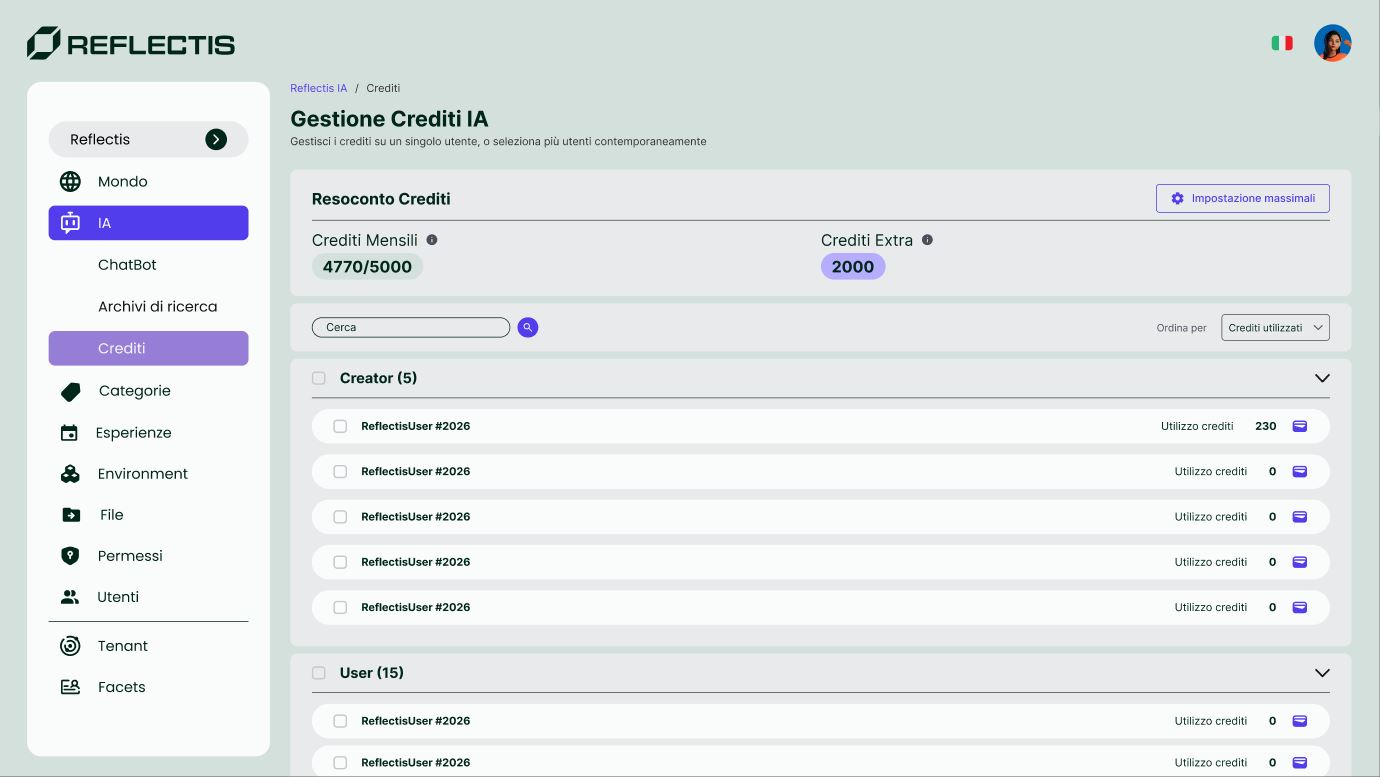
Credits Summary
At the top of the page, the Resoconto Crediti (Credits Summary) card shows the World's credit overview:
| Field | Description |
|---|---|
| Recurring Credits (Crediti Mensili) | Monthly credit budget and current usage (e.g. 4770/5000). |
| Extra Credits (Crediti Extra) | Bonus credits added on top of the recurring allocation. |
Click the Limits Setup button (top-right of the summary card) to configure role-based limits.
Users List
Below the summary, users are grouped by role (e.g. Creator, User/Member). Each row shows:
- User name
- Credits usage — the number of credits consumed, and the personal cap if one has been set (e.g. 670/700)
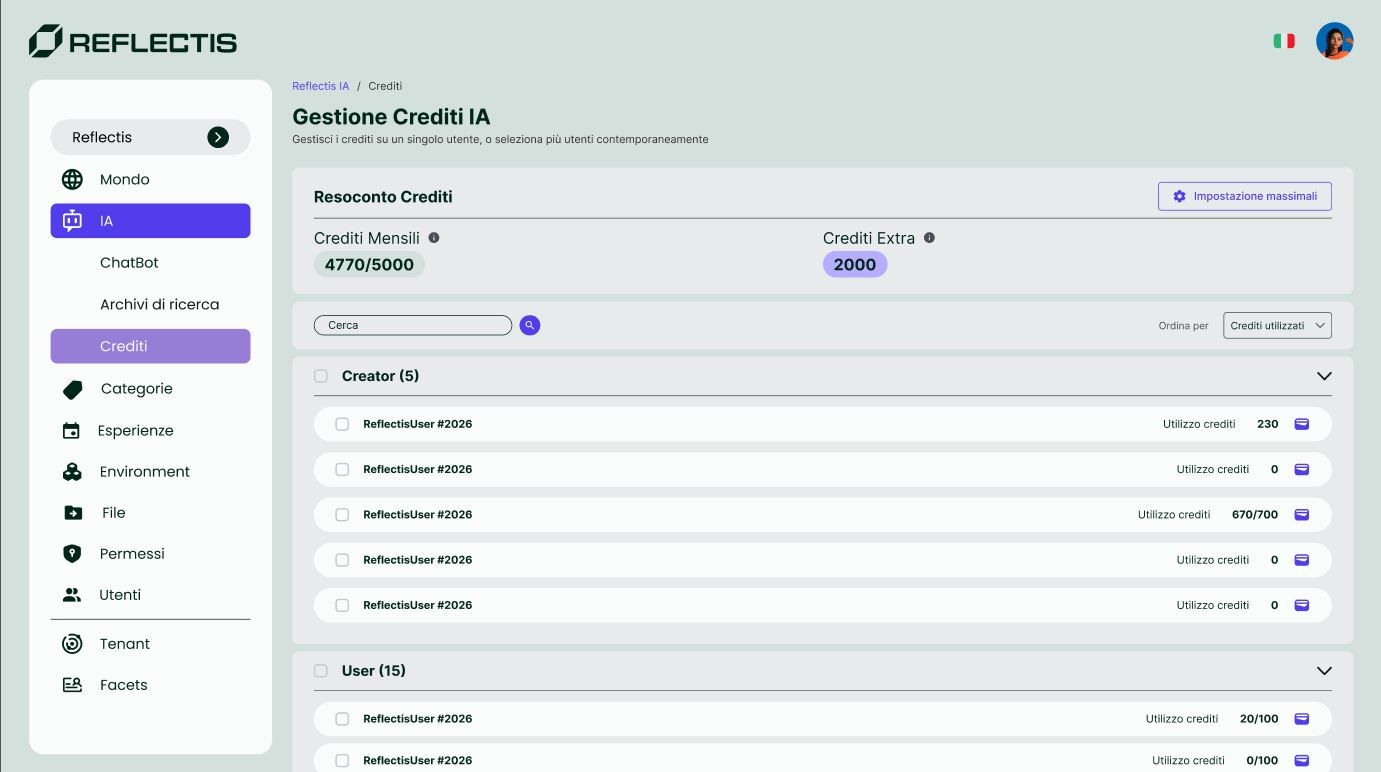
You can search for users by name and sort the list by credits used.
Selecting Users
Use the checkboxes to select one or more users. Once selected, a bulk action bar appears allowing you to:
- Reset Credits — reset credit usage for the selected users
- Edit Cap — set or modify the individual credit cap
Limits Setup
Click the Limits Setup button to open the configuration overlay.
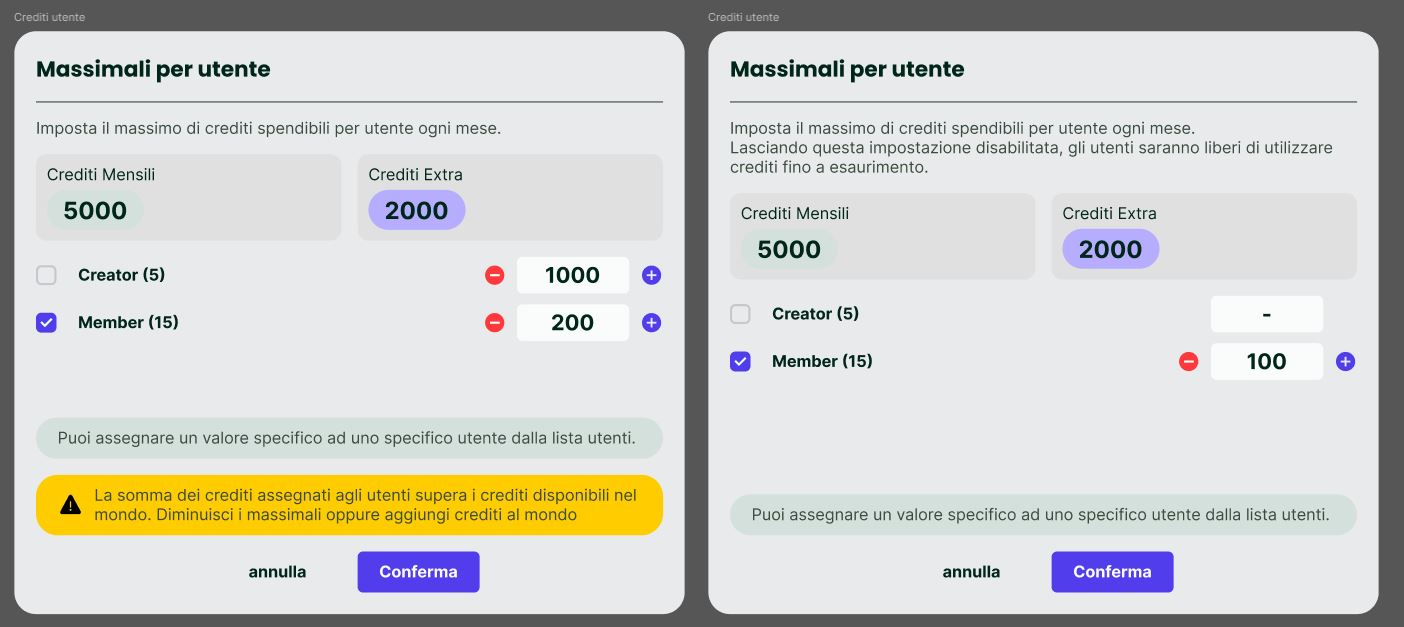
This overlay lets you set the maximum credits per user per month for each role:
| Field | Description |
|---|---|
| Recurring Credits (Crediti Mensili) | The World's total monthly credit pool (read-only). |
| Extra Credits (Crediti Extra) | The World's bonus credits (read-only). |
| Creator | Set the credit limit for users with the Creator role (use - / + buttons or type a value). |
| Member | Set the credit limit for users with the Member role. |
Leaving a role's limit unset (shown as -) means users with that role can freely use credits until the World's balance is exhausted.
If the sum of credits assigned to users exceeds the World's available credits, a warning message is displayed. You should either decrease the limits or add bonus credits to the World.
You can also assign a custom value to a specific user directly from the user list, overriding the role default.
Click Confirm to save the limits or Cancel to discard changes.
Available Actions Summary
| Action | Description |
|---|---|
| Set role limits | Define how many credits Creators and Members receive at each renewal period. |
| Set user limit | Override the role limit for a specific user with a custom cap. |
| Reset user limit | Remove custom caps from one or more users, reverting them to their role's default. |
| Add bonus credits | Add extra credits to the World's balance. |